A successful event rarely happens by accident. Behind every smooth conference, corporate meeting, product launch, or virtual presentation is a well-organized plan that keeps everyone working toward the same schedule. One of the most important tools for achieving this is a Run of Show.
A Run of Show is a detailed, minute-by-minute event schedule that outlines everything that happens during an event, including activities, speaker appearances, transitions, technical cues, and team responsibilities. It serves as an internal roadmap that helps event planners, hosts, production teams, and technical staff coordinate every stage of the program.
Whether you are organizing a small business gathering or a large hybrid conference, having a clear event production schedule can prevent confusion, reduce delays, and make communication easier. In this guide, you will learn what a Run of Show includes, how to create one, and how to use a printable template to organize your next event.
What Is a Run of Show?
A Run of Show (ROS) is an internal document that describes the sequence and timing of every important activity during an event. It provides specific instructions about what happens, when it happens, who is responsible, and which technical elements must be activated.
Unlike a general event agenda, which gives attendees an overview of the program, a Run of Show contains operational details for the people producing and managing the event.
For example, an event agenda might simply list an opening speech at 9:00 AM. A detailed Run of Show explains when the stage lights turn on, when the opening music starts, who introduces the speaker, when the presentation slides appear, and who manages the microphone.
This level of detail makes the document especially useful for coordinating complex events with multiple speakers, activities, equipment, and production teams.
Why Is a Run of Show Important?
A well-prepared event schedule helps everyone understand their responsibilities and follow the same timeline. It also gives the event manager a central reference point when making decisions during the program.
1. Keeps the Event on Schedule
Every segment has an assigned start time and duration. This makes it easier for the event coordinator to monitor progress and identify delays before they affect the rest of the program.
2. Improves Team Communication
Event staff, speakers, stage managers, audio technicians, and video operators can work from one shared document. Everyone knows what is happening and what action is expected next.
3. Coordinates Technical Requirements
Live events often involve lighting, microphones, music, presentations, video playback, and streaming equipment. A production schedule identifies when each technical cue should happen and who is responsible for executing it.
4. Reduces Confusion and Mistakes
Clear instructions reduce last-minute questions and prevent important activities from being overlooked. Team members can check the document instead of relying entirely on verbal instructions.
5. Makes Unexpected Changes Easier to Manage
Events do not always go exactly as planned. A speaker may arrive late, a presentation may need extra time, or a technical issue may interrupt the program. A detailed schedule gives the event manager a structure for adjusting the timeline while keeping the remaining activities organized.
What Should a Run of Show Include?
Although every event has different requirements, an effective Run of Show should contain enough information for the production team to execute the program without guessing.
1. Event Information
Start with basic details that identify the event. Include:
- Event name and date.
- Venue or event location.
- Event start and end times.
- Event manager or production lead.
- Event type, such as in-person, virtual, or hybrid.
2. Time and Duration
Assign a specific start and end time to each segment. Including the duration helps the team understand how much time is available for each activity.
3. Program Segments and Activities
Describe each part of the event in chronological order. Examples include registration, opening remarks, keynote presentations, panel discussions, networking breaks, entertainment, and closing announcements.
4. Assigned Responsibilities
Identify the person responsible for each activity. This may include the event host, speaker coordinator, stage manager, audiovisual technician, registration team, or streaming operator.
5. Technical Cues
List the production instructions required for each segment. Common examples include:
- Turn stage lights on or off.
- Start or stop background music.
- Display presentation slides.
- Play an introduction video.
- Open or mute microphones.
- Switch camera angles.
- Start or stop the livestream.
6. Transition Instructions
Explain how the event moves from one activity to the next. For example, identify who introduces the next speaker, when the previous presenter leaves the stage, and whether equipment needs to be rearranged.
7. Notes and Contingency Plans
Include important reminders, special instructions, and backup arrangements. These may cover speaker delays, technical problems, alternative presentation files, or changes to the event sequence.
How to Create a Run of Show Step by Step
Creating a useful event production schedule starts with understanding the entire program. The following steps will help you build a document that is practical, organized, and easy for your team to follow.
Step 1: Define the Event Objectives
Before creating the timeline, identify the purpose of the event and what you want to accomplish. Consider the audience, event format, expected attendance, and main activities.
These details will help determine the appropriate program structure and production requirements.
Step 2: List Every Event Activity
Write down all activities that must happen before, during, and immediately after the event. Start with major segments and then add smaller operational tasks.
For example, a corporate seminar might include:
- Venue and technical preparation.
- Guest registration.
- Opening remarks.
- Keynote presentation.
- Panel discussion.
- Question and answer session.
- Networking break.
- Closing remarks.
Step 3: Assign Time Slots
Arrange all activities in chronological order and assign realistic time limits. Include enough time for speaker introductions, audience questions, equipment changes, and transitions between segments.
Avoid creating a schedule that is so tight that one small delay disrupts the entire event. Adding reasonable buffer time can make the production plan more flexible.
Step 4: Assign Team Responsibilities
Give each task a clearly identified owner. Avoid vague instructions such as asking the production team to handle everything. Instead, specify who manages the stage, controls the presentation, operates the audio equipment, and communicates with speakers.
When several people share responsibilities, identify the primary contact who makes the final decision.
Step 5: Add Production and Technical Cues
Review every segment and identify the technical actions required. Include specific instructions for lighting, sound, video, presentations, microphones, and livestream controls.
Use clear action words such as START, STOP, DISPLAY, MUTE, UNMUTE, and SWITCH to make instructions easy to understand.
Step 6: Review Transitions and Timing
Check how each activity connects to the next. Confirm that speakers know when to enter, presenters have their materials ready, and technical operators understand when to execute their cues.
Pay special attention to activities that require stage changes, microphone handovers, or video playback.
Step 7: Share and Rehearse the Final Document
Distribute the approved schedule to everyone who needs it. Make sure team members have access to the latest version and understand how updates will be communicated.
Whenever possible, conduct a technical rehearsal before the event. Walk through the important segments, test equipment, and confirm that the timing is realistic.
Run of Show Example for a Corporate Event
The following example demonstrates how a simple Run of Show can organize a two-hour corporate seminar. The times and activities can be adjusted to match your actual event.
- 8:00 AM – 8:30 AM: Venue preparation and technical checks. The production team tests microphones, lighting, and presentation equipment.
- 8:30 AM – 9:00 AM: Guest registration. The registration team welcomes attendees and guides them to their seats.
- 9:00 AM – 9:10 AM: Opening session. The host welcomes the audience while the production operator activates the opening presentation.
- 9:10 AM – 9:40 AM: Keynote presentation. The speaker delivers the main presentation with supporting slides.
- 9:40 AM – 10:00 AM: Panel discussion. The moderator introduces the panelists and coordinates the discussion.
- 10:00 AM – 10:15 AM: Question and answer session. The host manages audience questions and microphone handovers.
- 10:15 AM – 10:45 AM: Networking break. The team prepares refreshments and manages the room transition.
- 10:45 AM – 11:00 AM: Closing session. The host summarizes the event and delivers final announcements.
This example illustrates how the event timeline can be combined with operational instructions. For a more complex production, add separate columns for technical cues, responsible team members, and transition notes.
Free Run of Show Template for Event Planning
Using a printable Run of Show template can save time and make event planning more consistent. Instead of building a new schedule from scratch, you can start with an organized worksheet and customize it for your event.
A useful template should provide dedicated spaces for event information, time slots, program segments, assigned responsibilities, technical instructions, and additional notes.
Here are three worksheet formats you can use for different event planning needs.
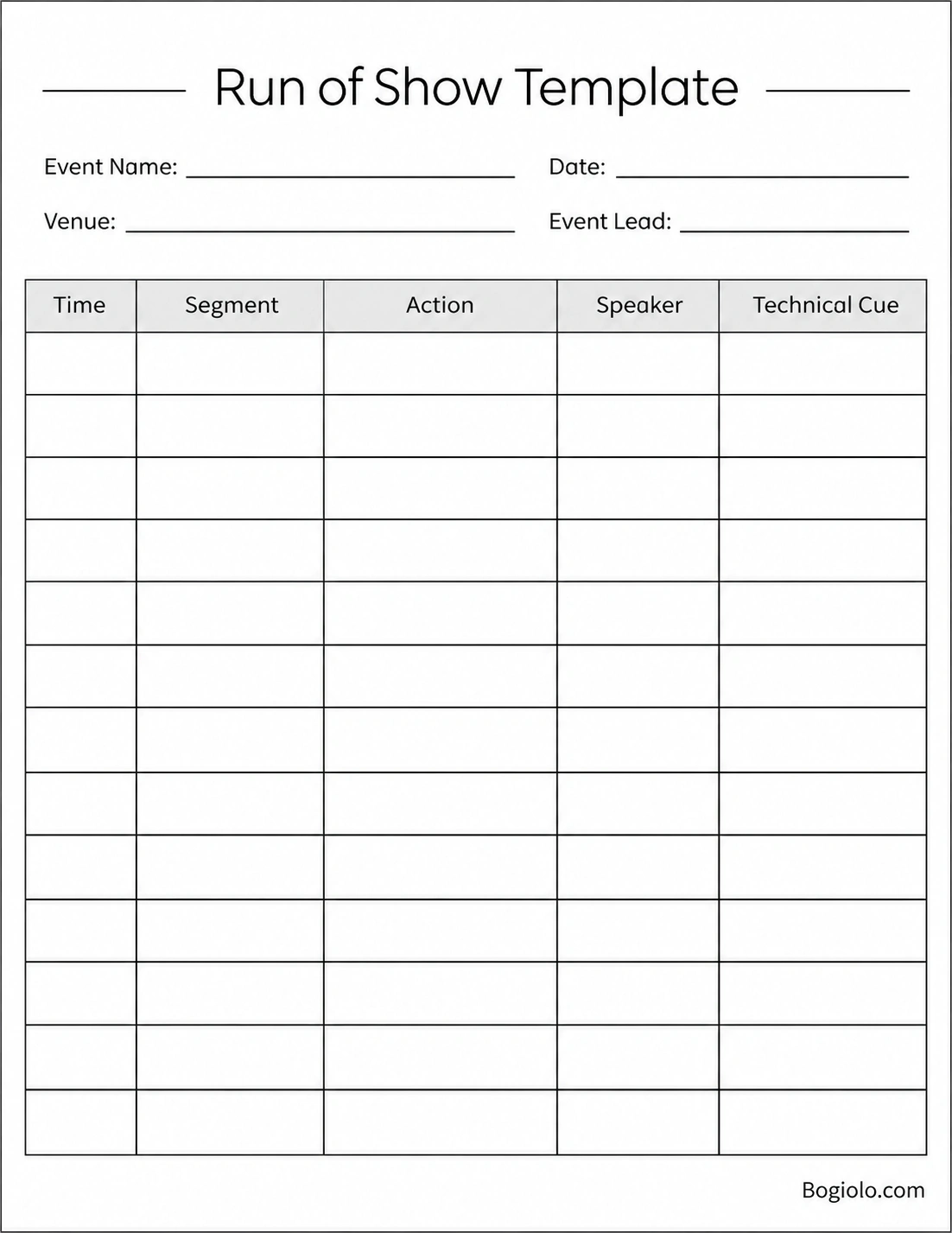
1. Run of Show Schedule Template
This worksheet is ideal for organizing a standard event timeline. It provides a structured table for recording the time, segment, activity, speaker, and technical cue for each part of the program.
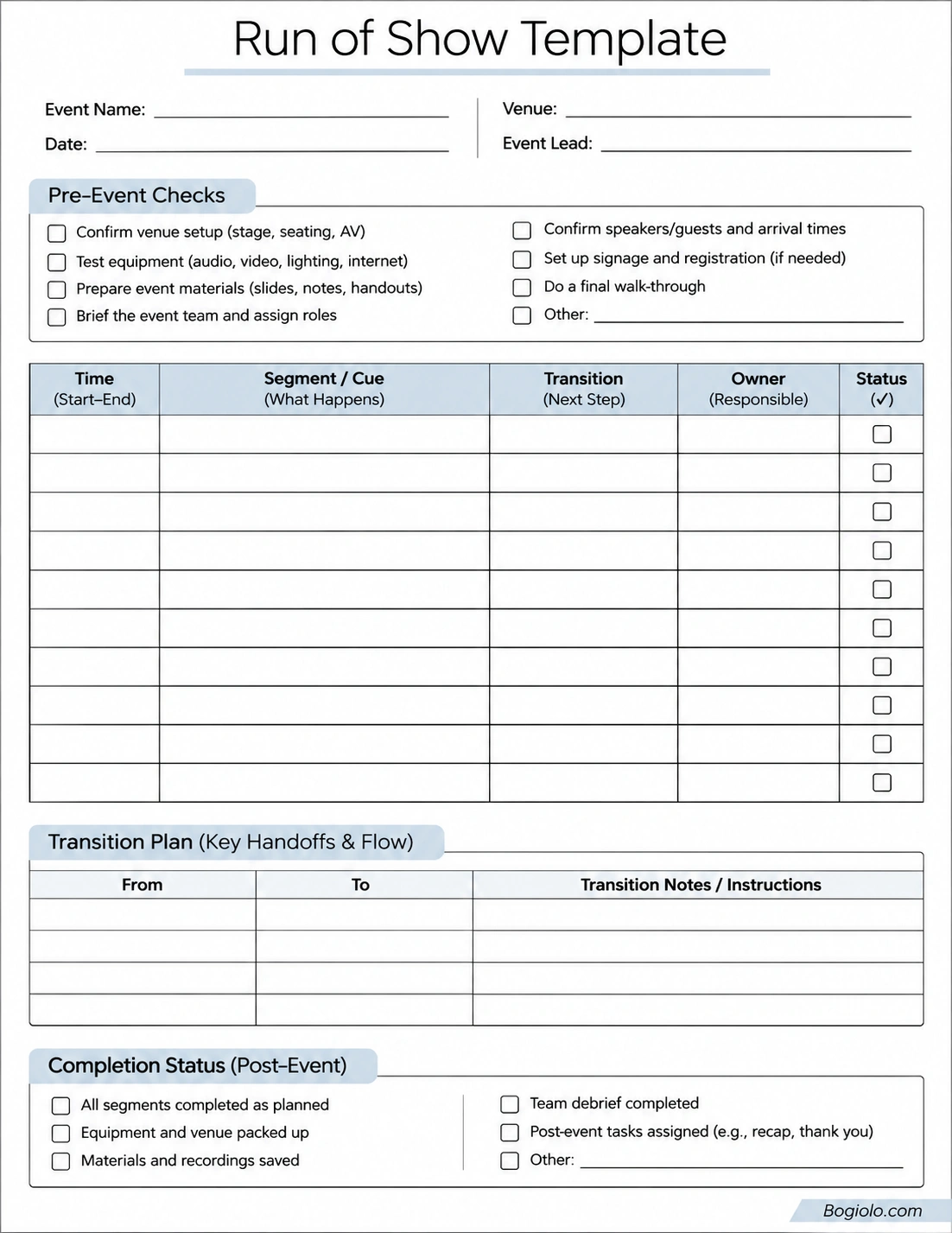
2. Event Production Checklist Template
For event coordinators who need to manage preparation and follow-up tasks, a production checklist provides an additional layer of organization. It includes pre-event checks, schedule tracking, transition planning, and post-event completion tasks.
3. Hybrid Event Production Control Sheet
Virtual and hybrid events often require more detailed coordination because the production team must manage both onsite activities and online broadcasting. This worksheet includes dedicated spaces for timecodes, program flow, visuals, audio, streaming, key contacts, and production notes.
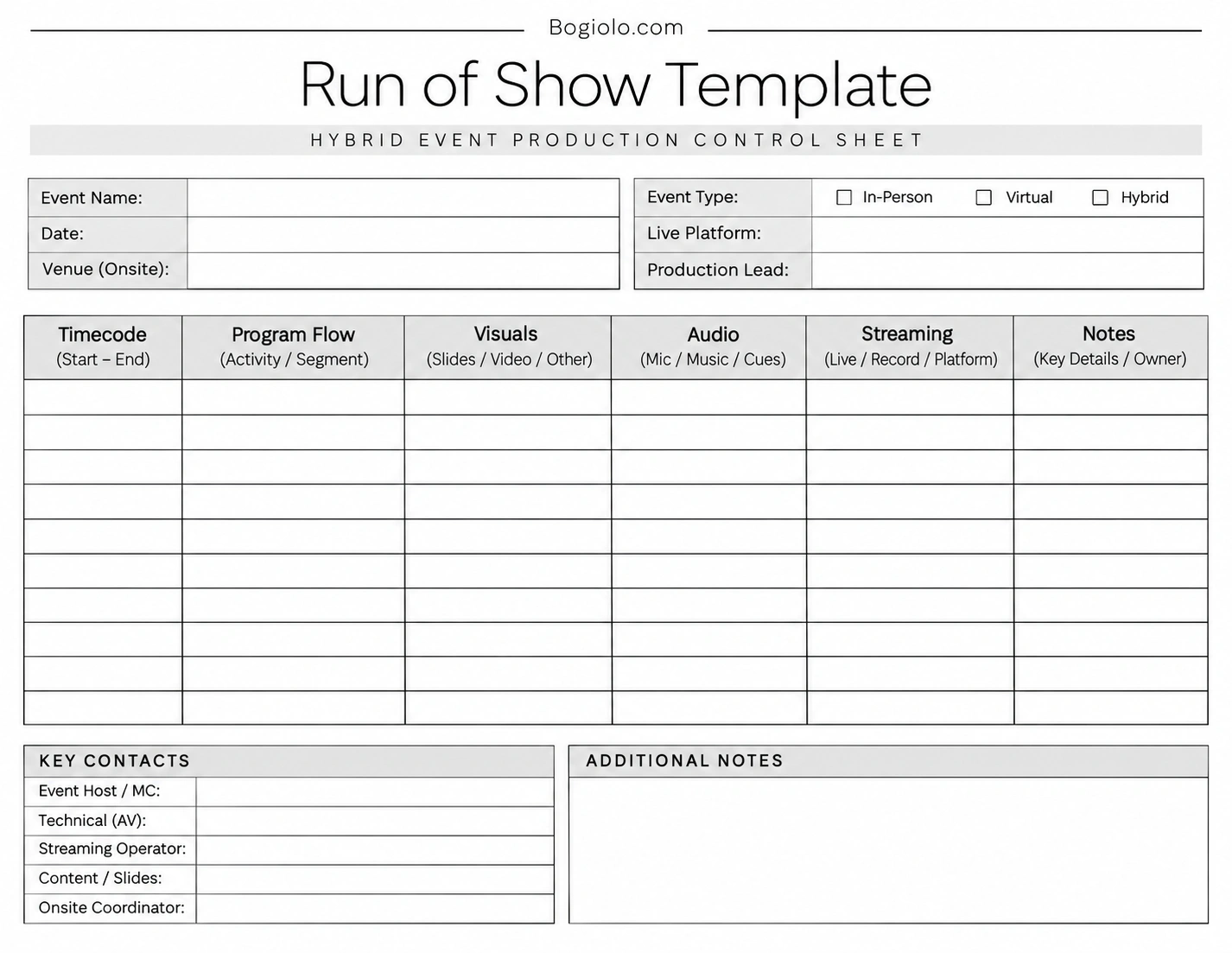
Choose the worksheet that best matches your event format. You can print it, fill it in digitally, and update the schedule whenever the program changes.
Tips for Managing a Run of Show Effectively
Creating the document is only the first part of event planning. The production team must also use it correctly throughout the event.
Keep Instructions Clear and Specific
Use short, direct instructions instead of lengthy descriptions. Every team member should be able to understand their next action quickly.
Use Consistent Time Formatting
Choose either a 12-hour or 24-hour time format and use it throughout the document. Consistent formatting helps prevent scheduling misunderstandings.
Identify Important Cues Clearly
Highlight critical instructions such as microphone changes, video playback, speaker entrances, and livestream transitions. Make sure the relevant operator knows when to act.
Maintain One Updated Version
Assign one person to manage schedule changes and distribute the latest version to the team. This prevents different departments from working with outdated information.
Prepare for Unexpected Situations
Include contingency instructions for common problems, such as delayed speakers, equipment failures, and program overruns. A flexible schedule helps the team respond without losing control of the event.
Common Run of Show Mistakes to Avoid
Even a detailed event schedule can become ineffective when important information is missing. Watch out for these common mistakes:
- Unrealistic timing: Giving speakers or activities too little time can create unnecessary pressure and delays.
- Missing task owners: Every important action should have a clearly assigned person responsible for completing it.
- Unclear technical instructions: Vague cues can cause mistakes during audio, lighting, video, or streaming operations.
- No transition planning: Moving between activities without clear handover instructions can interrupt the program.
- Ignoring rehearsal: A schedule that has never been tested may contain timing problems or overlooked technical requirements.
- Outdated documents: Distributing different versions can create confusion among event staff.
Reviewing these details before the event can help create a more reliable production plan.
Frequently Asked Questions About Run of Show
What does ROS stand for in event planning?
ROS stands for Run of Show. It is an internal event production document that outlines the timeline, activities, responsibilities, transitions, and technical cues required to execute an event.
What is the difference between a Run of Show and an event agenda?
An event agenda provides attendees with a general overview of the program, including session titles and scheduled times. A Run of Show is a more detailed internal document that explains how each segment should be executed, who is responsible, and which production cues are required.
Who is responsible for creating a Run of Show?
The event manager, event producer, or production coordinator usually creates the document. However, speakers, stage managers, audiovisual technicians, and other team members should contribute information relevant to their responsibilities.
When should you create a Run of Show?
It is best to create an initial version during the event planning stage, once the program structure and major activities are established. The document should then be reviewed and updated as speakers, schedules, and production requirements are confirmed.
How detailed should a Run of Show be?
The level of detail depends on the size and complexity of the event. A small meeting may only need a timeline with activities and responsible people. A large conference or hybrid production may require minute-by-minute instructions, technical cues, contact details, and contingency plans.
Can a Run of Show be used for virtual events?
Yes. A Run of Show is useful for virtual events because it helps coordinate presenters, moderators, presentation slides, video playback, microphones, livestream controls, and audience interaction. It can also include platform-specific instructions for the production team.
What is the best format for a Run of Show?
A spreadsheet or structured printable worksheet is often a practical choice. Both formats make it easy to organize activities in chronological order and include columns for timing, responsibilities, technical cues, and notes.
How often should a Run of Show be updated?
Update the document whenever important event details change, including session times, speaker availability, production requirements, or team assignments. Always make sure the production team receives the latest approved version before the event begins.
Conclusion
A well-organized Run of Show is essential for managing a successful event. It provides a clear operational roadmap, helps team members understand their responsibilities, coordinates technical production, and keeps every activity moving according to plan.
Whether you are organizing a corporate seminar, conference, product launch, wedding, or virtual presentation, a detailed event schedule can make the entire production process more manageable.
Start with a practical Run of Show template, list your activities in chronological order, assign responsibilities, and include the technical cues your team needs. With proper preparation and communication, you can create a smoother event experience from the opening moment to the final announcement.
Download: Run of Show Template
